Website Studio
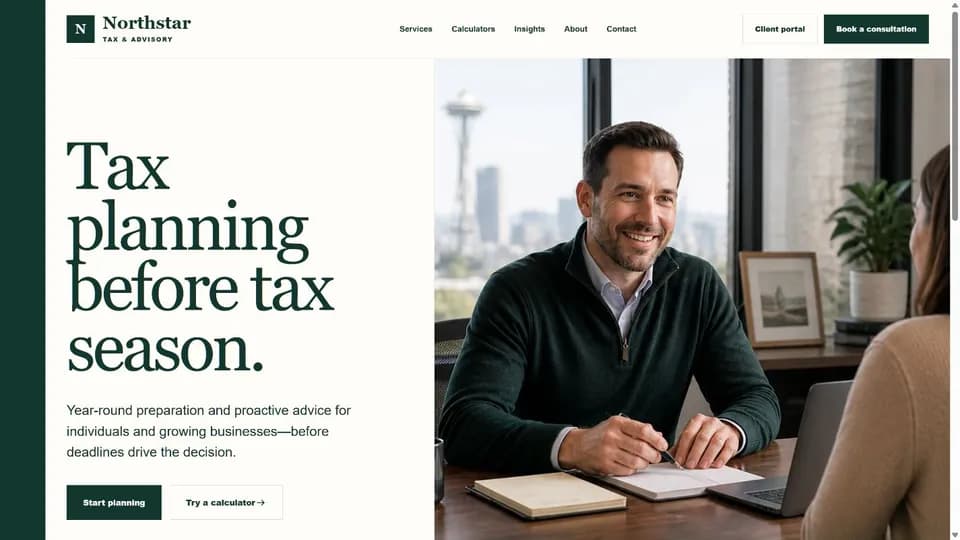
Turn the first visit into a booking or clear next step.
Explore websitesClient Portal · Mobile App · CRM
Clients upload documents, answer requests, book appointments, message your team, pay, and follow progress in one mobile-ready experience. Every interaction stays attached to the right client and next step—inside TaxAutomate or through supported connections to the practice software your firm already uses.
Branded mobile apps are available, with features and distribution configured for each firm.
3 of 7 steps complete
TaxAutomate Client Portal, Mobile App & CRM is tax client portal software for tax and accounting firms. Clients get a focused mobile experience for completing the work in front of them; the firm gets a CRM that keeps each action attached to the right client, engagement, owner, and next step.
The portal, mobile app, and CRM are the core product. Website Studio and Office Kiosk extend that experience into acquisition and the physical office.
Turn the first visit into a booking or clear next step.
Explore websitesRequests, files, messages, appointments, payments, and progress.
See the client sideThe connected client record, activity history, ownership, and next action.
See the firm sideConfigured check-in, intake, document drop-off, and staff handoff.
Explore the kioskThe tax client portal keeps essential actions close together so clients can respond without searching old messages or guessing what comes next.
See what the firm needs and respond from one place.
Upload requested source documents and see what the firm received.
Access filed returns, delivery copies, and available records organized by tax year.
Review and complete signature requests through the firm’s configured signing workflow.
Book, reschedule, and review upcoming meetings.
Keep client and firm conversations together.
View invoices and complete available payments.
Follow firm-verified progress through review, signature, filing, and delivery.
3 of 7 steps complete
The CRM for tax professionals connects every client action to the staff-side record, reducing the need to reconstruct the story across separate systems.
Keep people, entities, engagements, and activity in context.
See messages, appointments, uploads, and team follow-up together.
Make the responsible person and next step visible.
Carry requests and documents into the work they support.
Use TaxAutomate CRM to keep client information, messages, requests, documents and appointments in one shared record. If your firm already uses another practice-management system, we can review the information you want to move and confirm the available connection options for that system.
Keep messages, requests and appointments in the context of the client and the work your team is responsible for.
External system connections are reviewed separately.Your team or the client starts a request, appointment, or task.
Messages, documents, and requested details arrive in one flow.
Progress and activity update the connected client record.
The owner sees the next step and moves the engagement forward.
The client portal is the front end of a larger tax workflow automation. When supported documents and responses arrive, TaxAutomate can carry that context into tax preparation automation workflows built to organize evidence, prepare source-linked workpapers, and surface exceptions for professional review.
Explore tax preparation automationKeep requested documents and client responses attached to the engagement they support.
Organize supported source documents into review-ready workpaper context.
Keep incomplete or judgment-based items visible to the responsible tax professional.
Website Studio and Office Kiosk belong in the ecosystem—but they remain clear, separately explained buying decisions.
Give walk-ins and scheduled clients a guided path to check in, complete approved intake, drop off documents, and hand off to staff.
Explore Office KioskIt connects all three experiences. Clients use a mobile-ready portal to complete requests, exchange documents, manage appointments, communicate, and follow progress. Staff work from the connected CRM record behind those actions.
Yes. Branded mobile apps are available. Enabled features, integrations, publishing, and app-store distribution are scoped for each firm.
The preview experience includes document upload and status, organizer follow-up, messages, appointments, and return-progress views. The exact workflow is configured around the firm’s supported services.
Clients can be routed through the firm’s configured e-signature workflow and, when the firm makes them available, access filed-return copies, delivery documents, and other records organized by tax year. Signing provider, document visibility, and retention scope are confirmed during implementation.
No. TaxAutomate is designed to manage the client relationship and operational work around preparation while the firm keeps the tax software it trusts.
Yes. TaxAutomate includes its own CRM, and firms already invested in another system can discuss the handoffs they want to retain. Connection options vary: an implemented connector, a staff-managed document transfer, or a workflow that needs further review. A system mention does not imply automatic synchronization.
They are connected extensions. Website Studio supports the first digital visit and conversion path. Office Kiosk brings configured check-in, intake, and document drop-off into a physical location. Neither is required to understand the core Client Portal, Mobile App & CRM product.
See how TaxAutomate can connect the client-facing work to the team responsible for moving it forward.
Book a personalized demo