 Drake Tax
 Intuit ProSeries
 Intuit Lacerte
 CrossLink Tax
TaxAutomate prepares
Sources are classified, values mapped, and exceptions held for review.
Tax automation · Workpapers · Software entry
AI tax preparation software for tax firms that organizes W-2s, 1099s, K-1s, and other source documents into review-ready workpapers, then moves approved data into the tax software your team already uses—while your professionals control review and filing.
Interest income
The prepared workpaper is ready for your team's approval.
The configured connector runs after your team approves the prepared work.
Run diagnostics, reconcile the calculated return to workpapers and source, apply judgment, and authorize filing.
KEEP THE TAX SOFTWARE THAT ALREADY RUNS YOUR FIRM
Begin with the established workflow: review prepared work before software entry, then review the calculated return before filing. When your team is ready, pre-entry approval can focus on exceptions instead of every return.
Review-every-return selected. Approval is required before software entry.
Bring source documents into one engagement.
Classify documents and build the workpapers.
Map supported values back to source.
Your team reviews the prepared work before software entry.
Move approved values through the configured lane.
Run diagnostics, reconcile the return, apply judgment, and approve filing.
Interest statement mapped to Schedule B. Prior-year variance remains open for review.
Your team can trace what arrived, what was prepared, what changed, and what still needs professional judgment.
Each connection has a different delivery method. Choose your software to see the current workflow, setup boundary, and what your team reviews.
Demo the exact lane your firm would use.
Sources are classified, values mapped, and exceptions held for review.
A reviewer sees evidence, exceptions, and the prepared field plan.
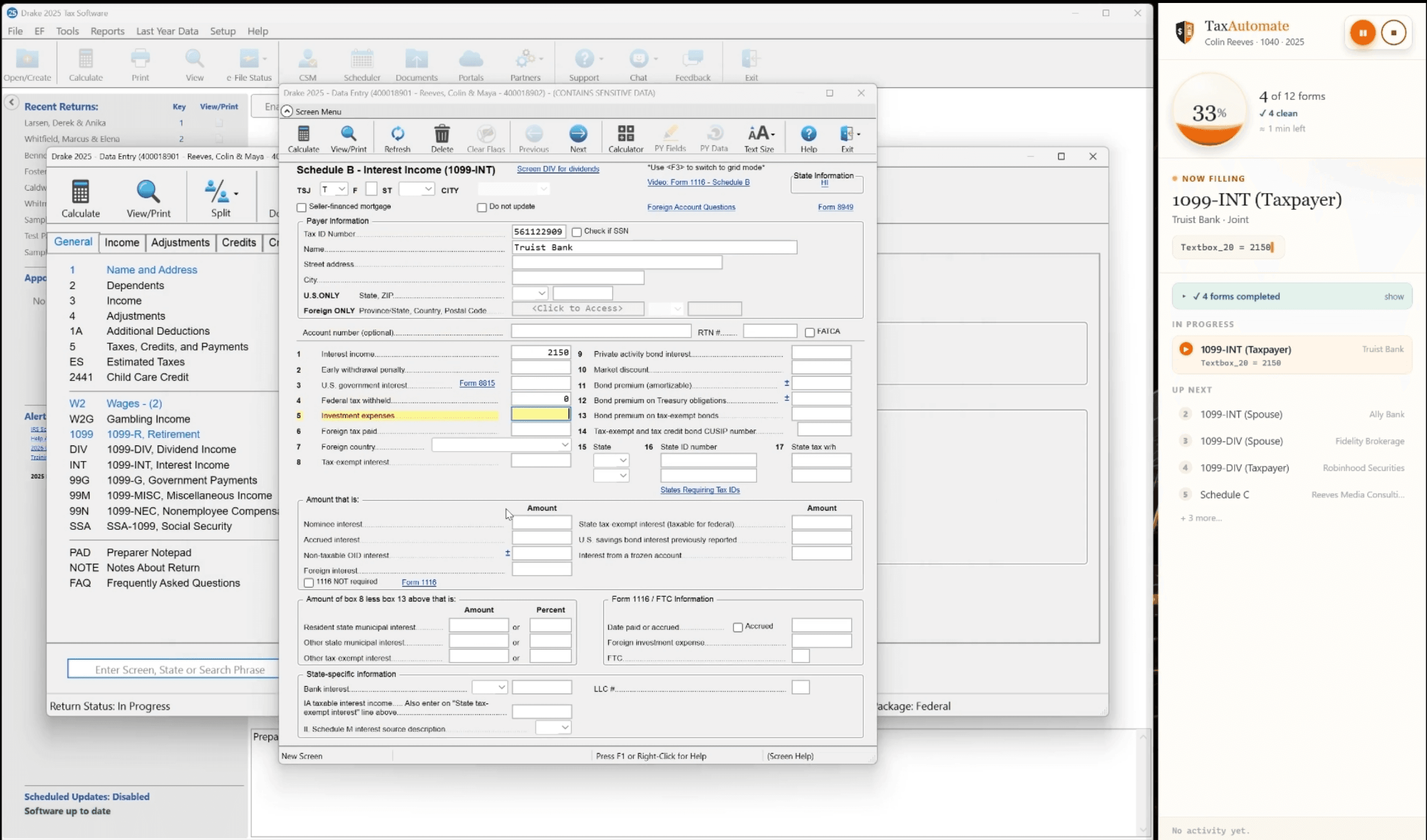
TaxAutomate enters approved, supported values through Drake's desktop screens on your paired Windows workstation. Your preparer checks the result in Drake.
The paired connector operates Drake's actual screens using approved values.
Your preparer resolves discrepancies, reviews diagnostics, and controls filing.
Begin with organized documents, mapped values, and visible open items instead of a blank return.
Review prepared work at the firm’s chosen approval gate, then reconcile the calculated return and diagnostics before filing.
Standardize the lane, choose the supported software workflow, and keep approval accountable.
Document intake and classification
Workpaper organization
Supported value mapping
Exception routing
Configured software handoff
Pre-entry approval policy
Tax positions and judgment
Diagnostic review
Authorization and e-file
Final delivery
Tax automation software reduces repetitive work across document intake, workpaper preparation, supported data mapping, approval, and tax-software entry. After entry, professionals review diagnostics, reconcile the calculated return, apply judgment, authorize, and file.
TaxAutomate is designed to classify supported source documents, organize a consistent workpaper structure, map supported values back to evidence, and surface open items for professional review. Exact document, return, and field coverage depends on the configured workflow.
No. TaxAutomate prepares and coordinates supported work around the professional tax software your firm uses. Your tax software remains the calculation, diagnostics, authorization, and filing system of record.
TaxAutomate integrates with Drake Tax, Intuit ProSeries, Intuit Lacerte, Intuit ProConnect Tax, CrossLink Tax, ATX Tax, TaxSlayer Pro Desktop, TaxSlayer Pro Web (ProWeb), MyTAXPrepOffice. Connection methods and supported scope differ by software; each integration page explains setup and professional review.
No. TaxAutomate can prepare defined work and route exceptions, but qualified professionals remain responsible for tax positions, diagnostic review, client substantiation, authorization, e-file, and final delivery.
Yes. A firm can begin with review and approval before software entry, then use an exception-only approval policy when its team is ready. Final professional review, authorization, and filing remain with the firm in either workflow.
Ask the vendor to show one return moving through your actual tax-software lane. Confirm supported return types, document coverage, evidence traceability, exception handling, connection method, security boundary, failure recovery, and exactly where professional approval occurs.
We’ll map one return through your chosen approval gate, configured software entry, and final professional review.
No generic logo tour. One workflow, one connection method, clear boundaries.