Continue intake anywhere.
Alex can move from the conversation into your client portal, mobile app, or office kiosk without repeating contact details or starting a separate process.
Portal · Mobile app · KioskConnect every lead source to one AI Front Desk
Bring phone calls, texts, emails, website chat, Yelp, Thumbtack, Angi, Facebook, Instagram, and WhatsApp into one front desk built for tax firms.
TaxAutomate responds, qualifies, follows up, and books the consultation—then carries the full conversation into your CRM, calendar, intake, client app, kiosk, and preparation workflow.
You set the answers, channels, timing, and staff handoff.
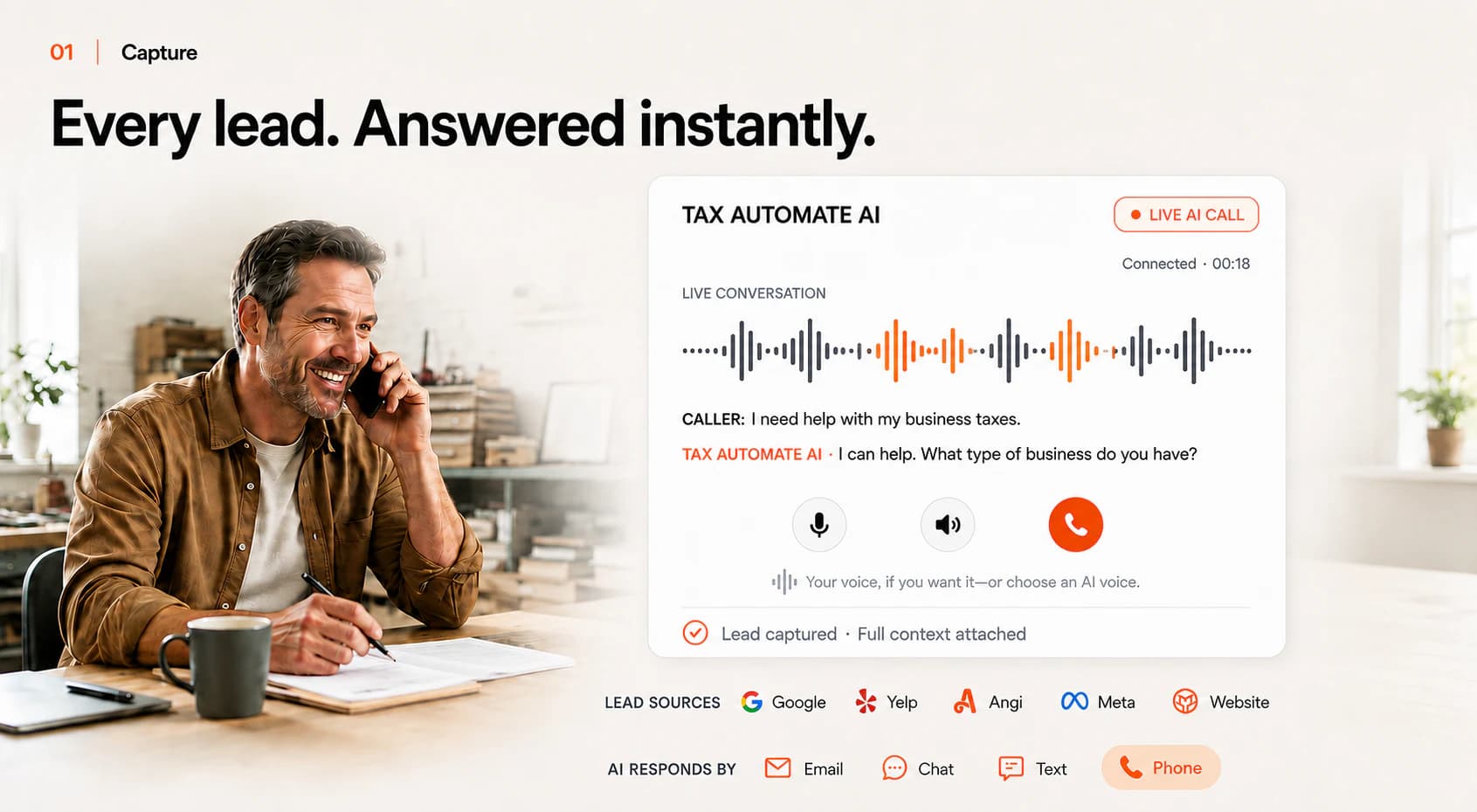
TaxAutomate answers immediately, recognizes that Alex needs help with business taxes, and captures the lead source and conversation in one record.
After the appointment is booked
Alex moves into intake, document collection, staff work, and preparation with the original lead source, answers, promises, and next action still attached.
Alex can move from the conversation into your client portal, mobile app, or office kiosk without repeating contact details or starting a separate process.
Portal · Mobile app · KioskRequests and reminders continue through the channels your firm chooses. Every upload, reply, and open item stays visible on the client record.
Requests · Reminders · DocumentsThe CRM carries the source, transcript, appointment, notes, tasks, and document status forward so the next person knows exactly what happened and what comes next.
CRM · Tasks · Tax softwareMeet clients where they already are
Keep the phone number, inboxes, lead sources, calendar, and client tools your firm already uses. TaxAutomate connects the response, client history, staff owner, and next action across them.
Available connection methods vary by provider, account permissions, and channel. We confirm the supported path before activation.
Automation that knows when to hand off
TaxAutomate answers, qualifies, schedules, and follows up within the playbook your firm approves. When a client needs judgment, reassurance, or an exception, your staff takes over with the transcript, facts, and next action already in view.
See the CRM and practice-management handoffLead source and contact identity
Call, chat, text, and email history
Qualification answers and promised follow-up
Appointment, intake, and document status
Owner, tasks, exceptions, and next action
Front Desk integration questions
Every setup starts with your channels, accounts, playbook, and staff escalation process.
Yes. Configure the AI Front Desk to handle approved questions, capture lead information, qualify the inquiry, book appointments, and route exceptions. Your team controls the hours, playbook, escalation rules, and when a person takes over.
The setup depends on the access each service provides to your firm. TaxAutomate maps the authorized connection or notification path, preserves the lead source, and defines where the AI or staff response should happen.
No. The lead source, transcript, contact details, qualification answers, appointment, notes, and next action stay with the client record so the staff member can continue with context.
Yes. The connected journey can continue through your branded website experience, client portal, mobile app, or configured office kiosk for intake, messages, appointments, and document requests.
It can. After identity, engagement, document, and staff checks, the client record can move into the supported preparation workflow for your tax software. Your preparer retains review, professional judgment, and filing control.
Build your connected Front Desk
Bring the channels your firm uses today. We’ll map the exact journey from first response through qualification, booking, intake, CRM, document follow-up, and preparation.